Triton
Objectives
- Improve production processes through working with company departments for ideas and insight.
- Present mocks to various department heads to discuss requirements and functionality.
- Create a front-end that reflects the company brand, and improves on the initial prototype’s features.
Triton, before I joined the project, was a prototype proof-of-concept Sketch plug-in that used front-end webapp for Copywriters. Triton allowed for seamless copy editing between the copywriter, and the designer. Due to limited resources, Triton was usable but there was more potential and fine-tuning to be explored.
Discovery
After being brought into the project mid-2019, I met with Product Innovation, Copy and Content and brought my own knowledge of our production processes on the creative end into discussions. After inital meetings with Copy and Content, it became apparent that many features needed to be explored and baked-into an entirely new workflow to meet the scale that Copy and Content requested.
The new Triton workflow incorporated 3 milestones for integration: a dashboard, publisher selection/creation, and Copywriter editing tools (Headlines, subheads, copy formatting) all while being able to search for converge numbers(projects) at once.
Dashboard
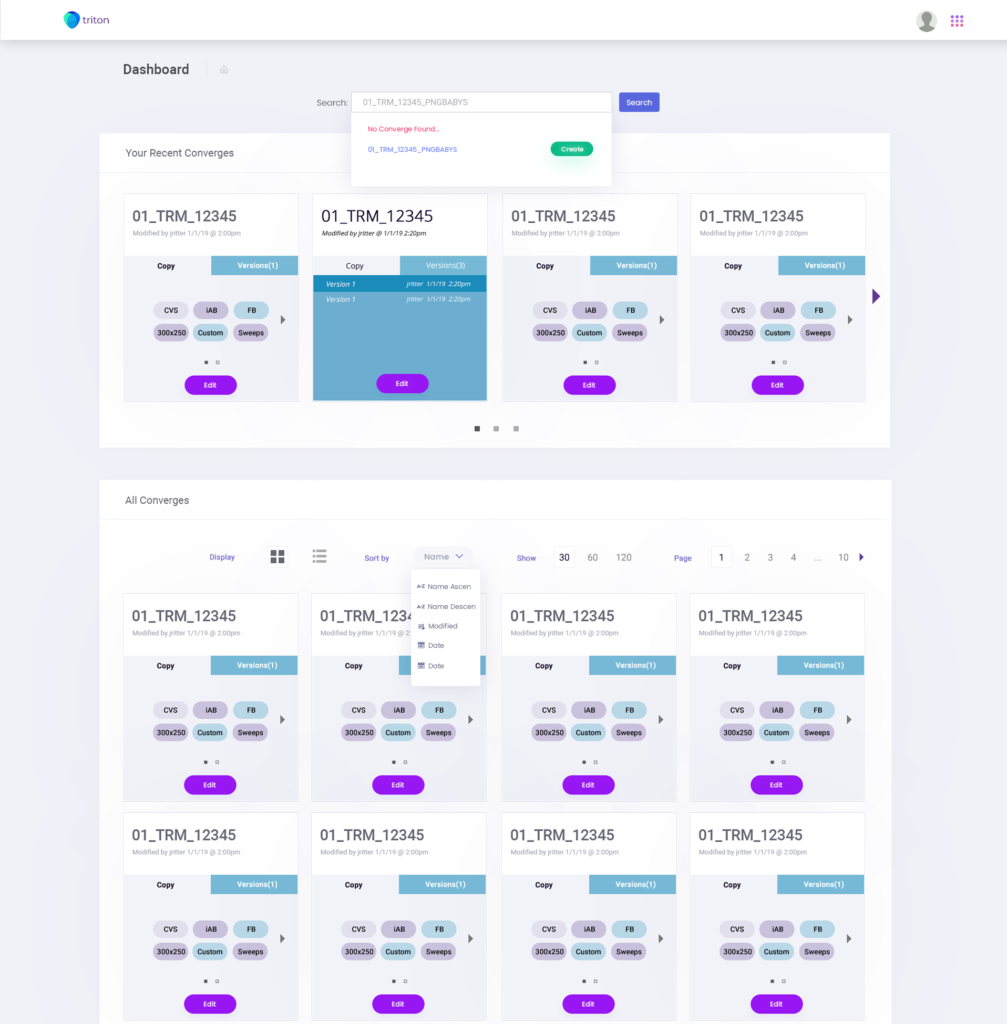
From discovery sessions, the need for a dashboard was becoming the most-requested feature. The dashboard curated all the working converge numbers into a UI that allowed the user to search and filter what converges they need at the time, but also allowed the user to see all converge numbers created in the Triton database.
In order to solve this, the team and I agreed on a global search UI that can be used in any step of the way. From the global search, the user can also create a new project and search for one at anytime. This is the hub of Triton.
Publisher Selection/Creation
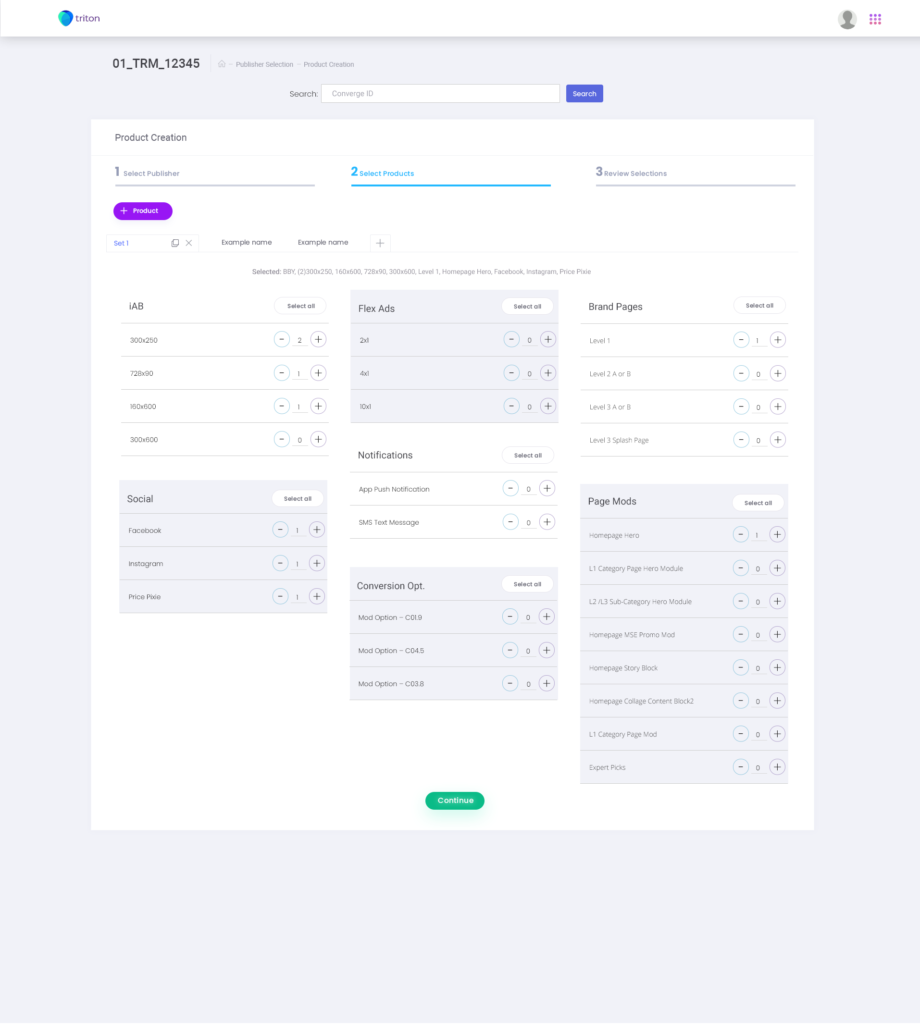
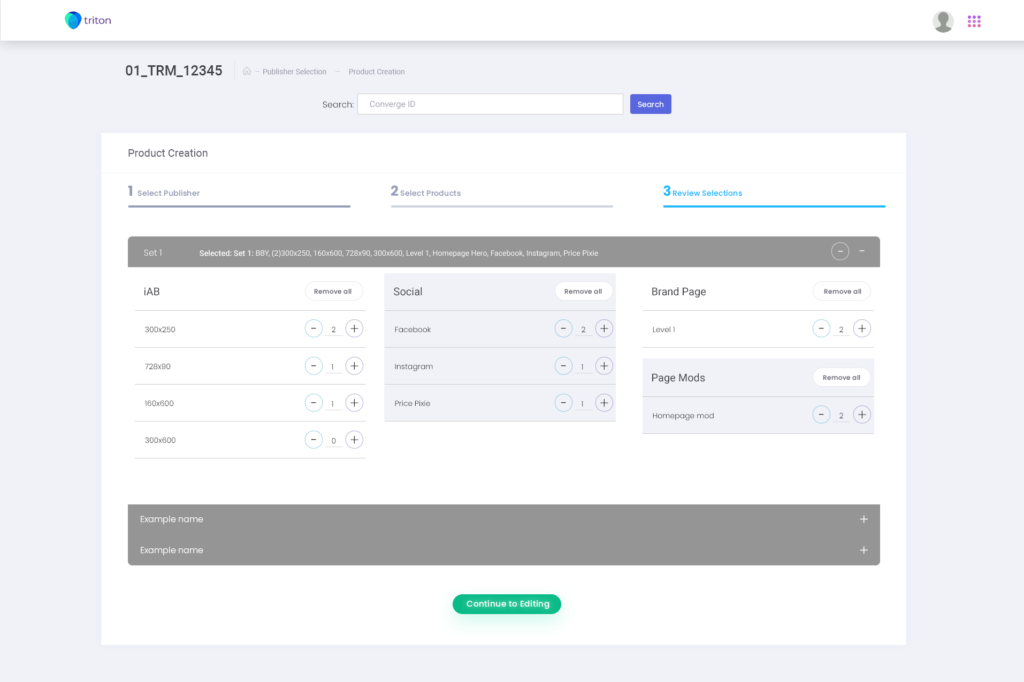
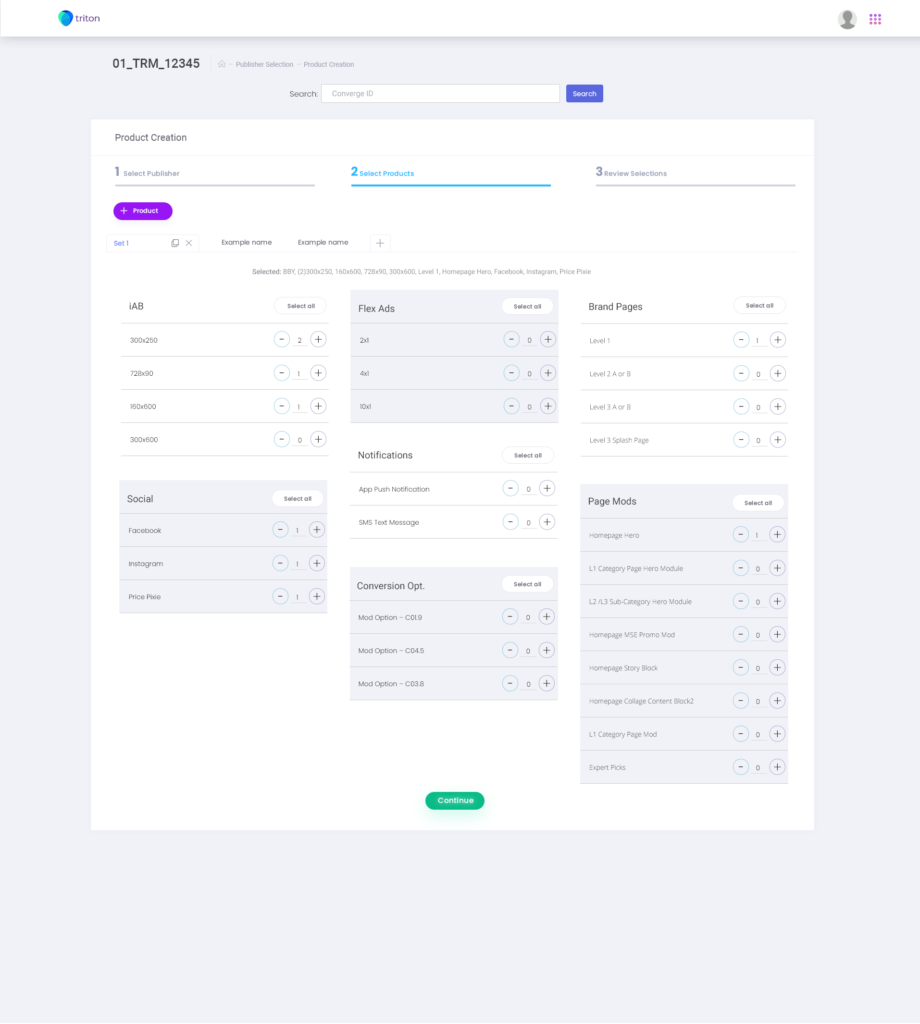
Publisher selection increased the scope of Triton by baking every publisher copy specification into one robust tool. From here, the user could select an existing publisher and continue work. Or, the user can create a new specification for a publisher from scratch.
By doing this we would improve the Copywriter’s workflow by allowing the user to jump straight into a new project without having to worry about a Word/Text document, by turning the word document into a menu of products that we offered. Simply select what you want to do and go. Publisher selection was discovered as a way to modernize and bridge the older working process, into a more flexible tool.
Publisher Selection/Creation Mocks
Copywriter Editing Tools
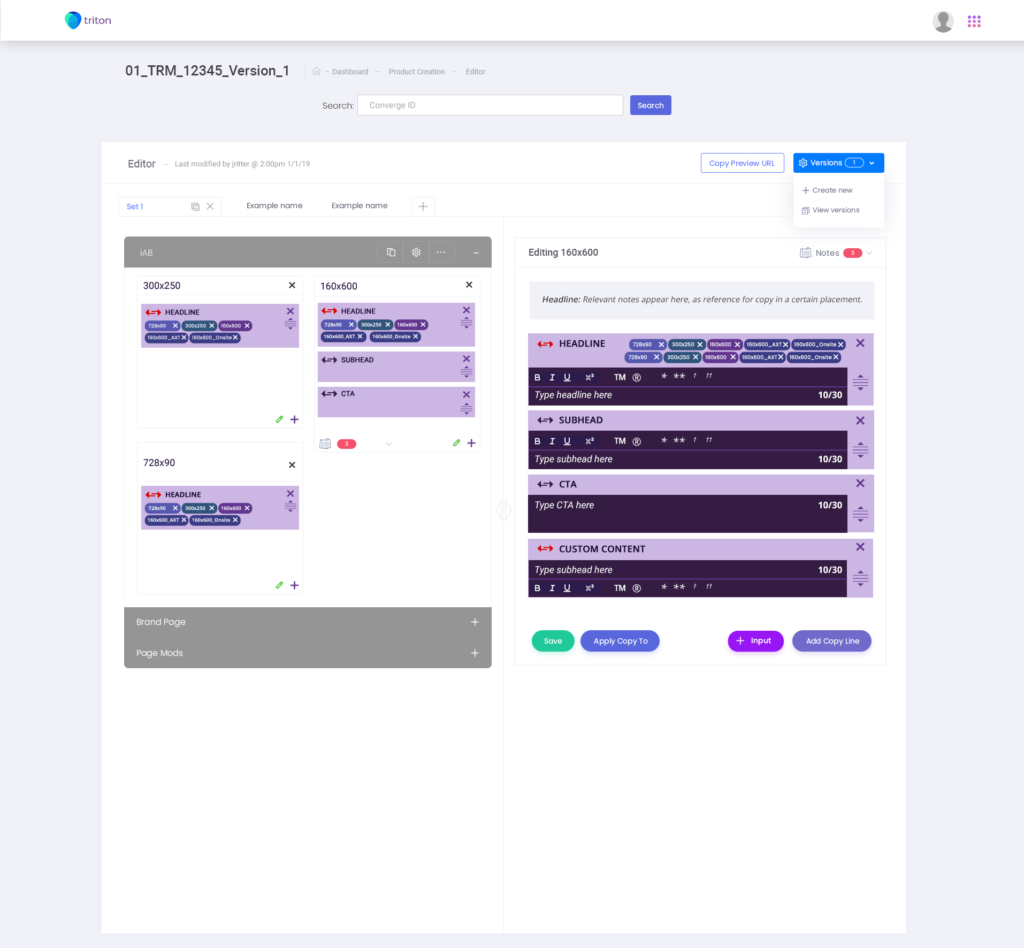
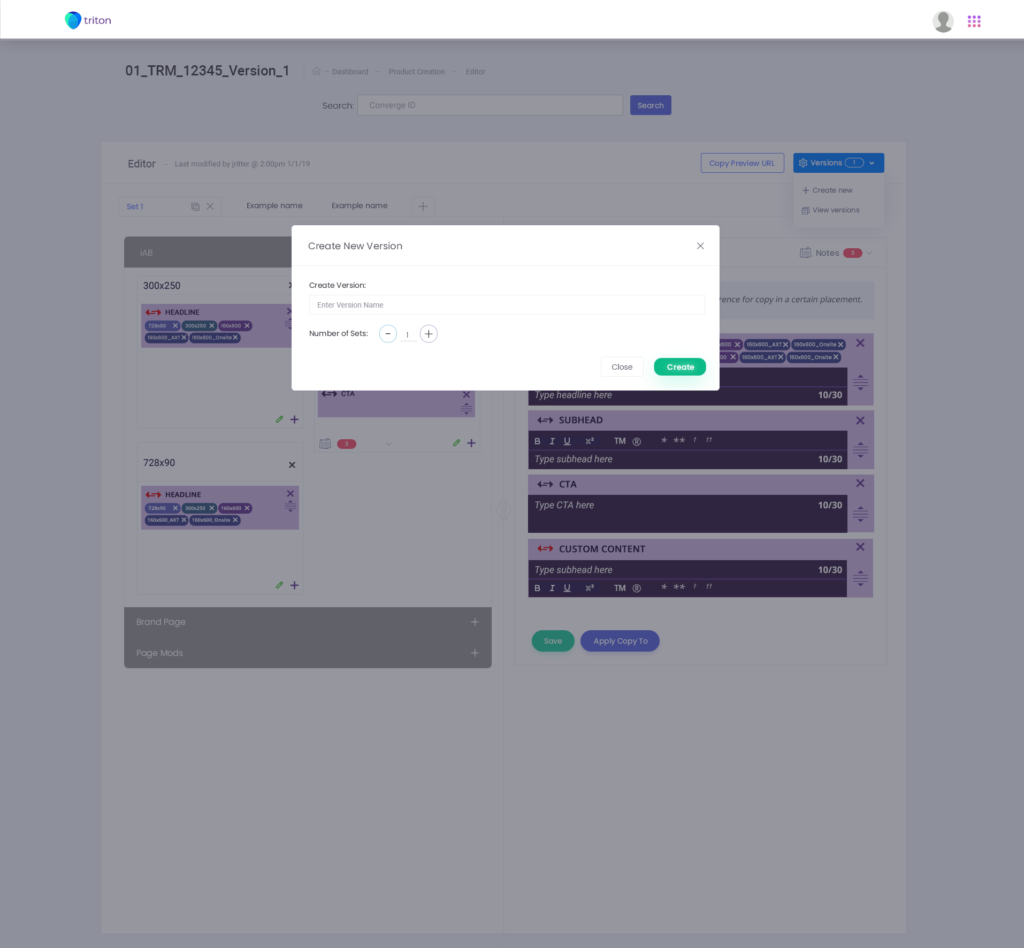
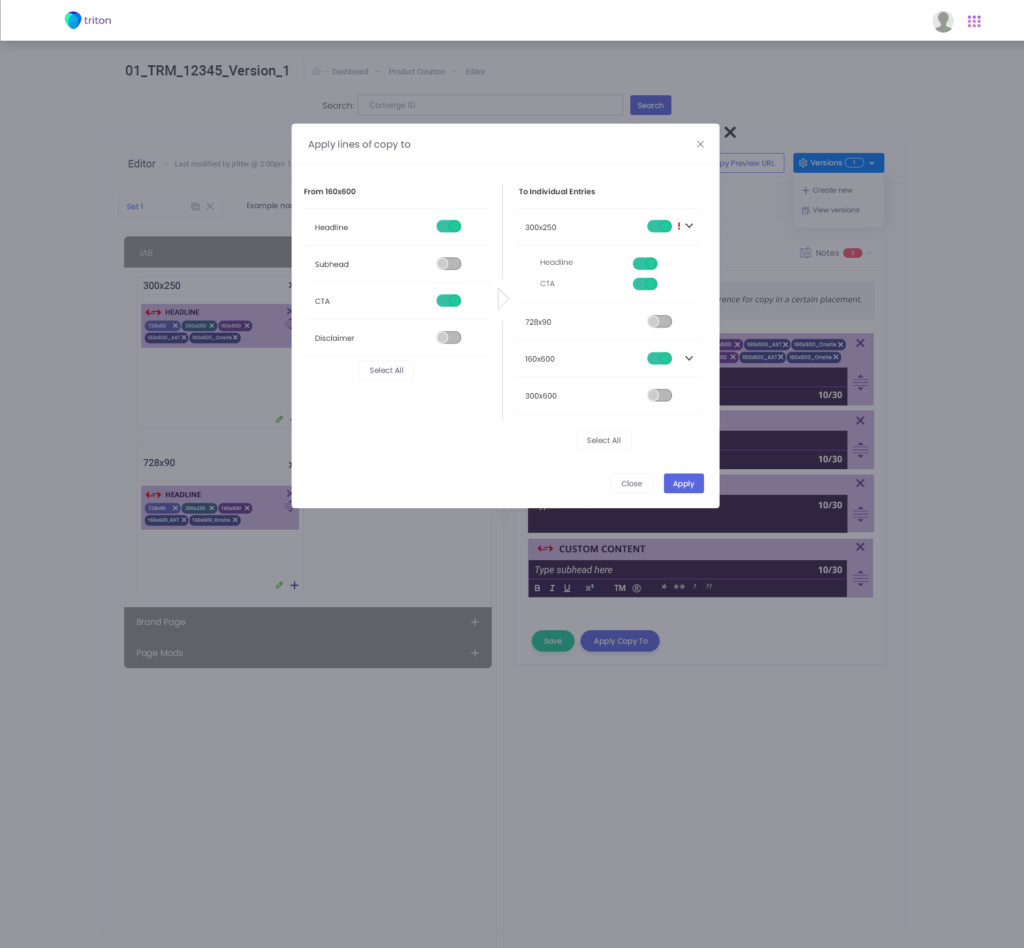
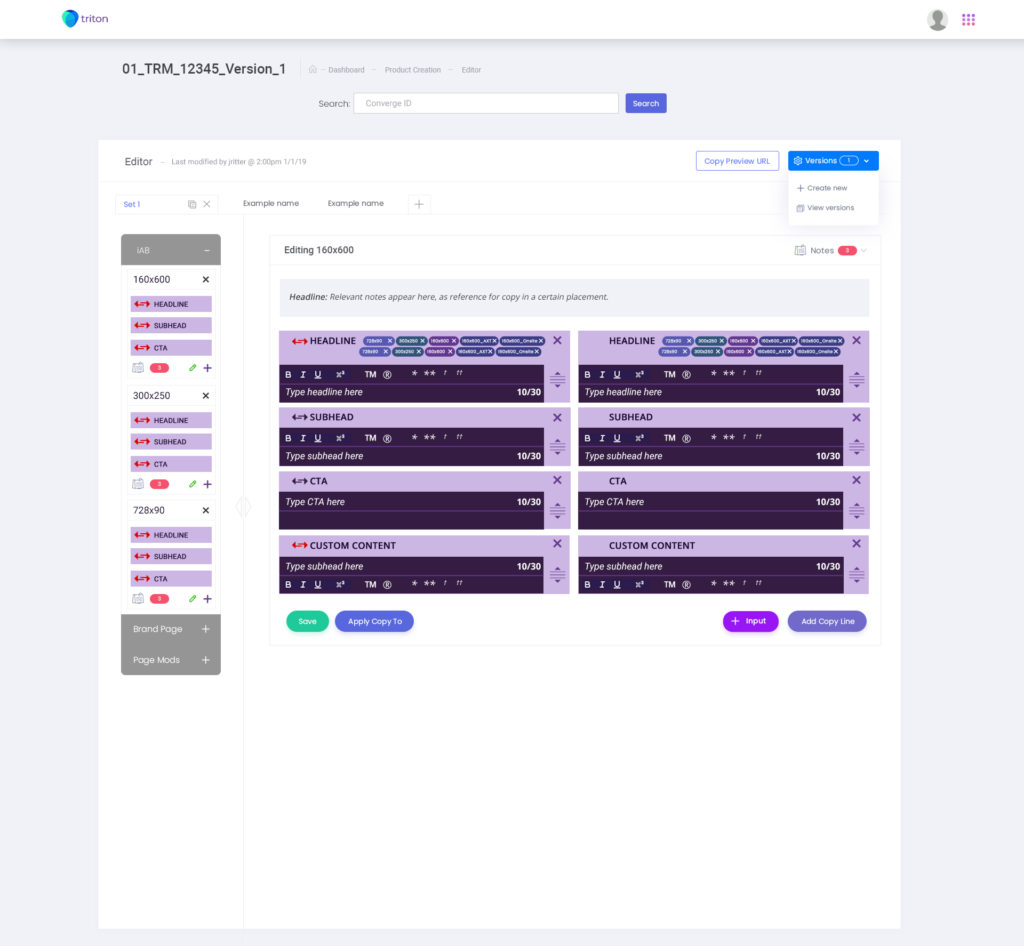
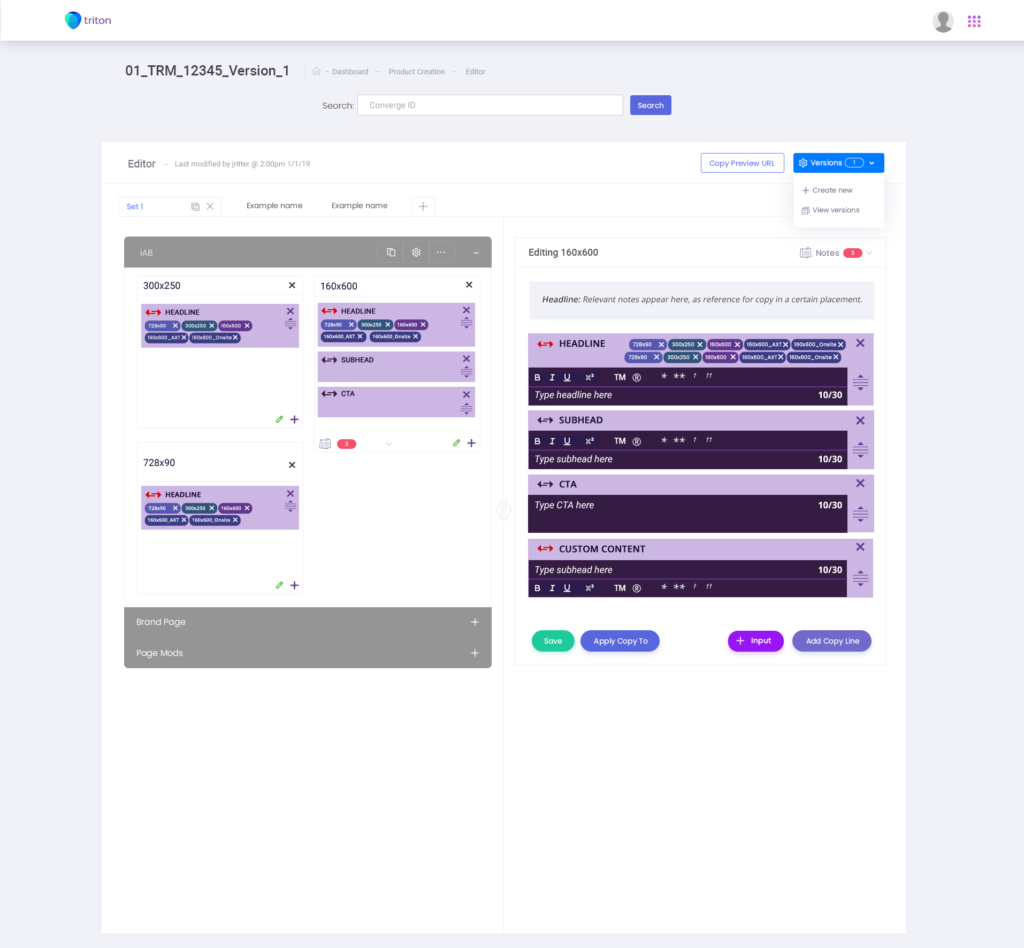
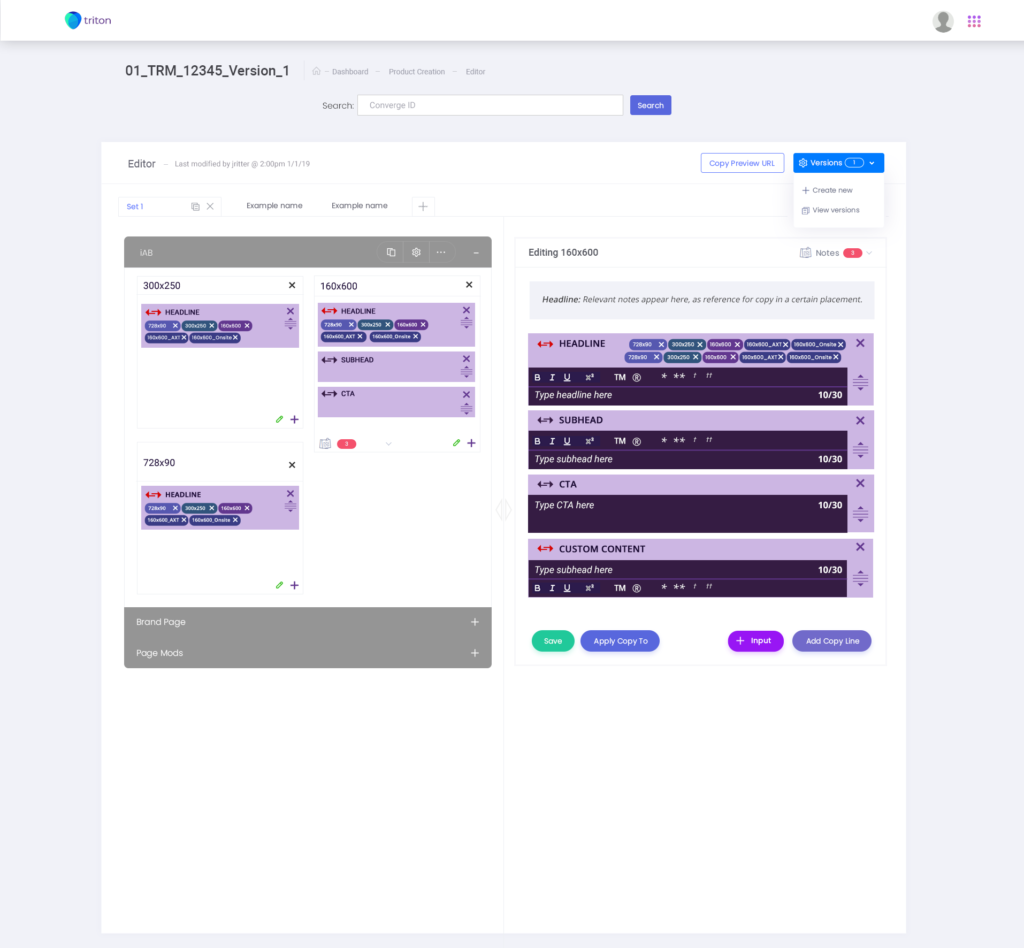
The editing tools offer a robust collection of features. Namely the products the Copywriter is working on currently in a converge, the ability to edit copy for those products while offering document versioning, navigating supplier and publisher feedback. All of these functions of the webapp are presented all on one screen.
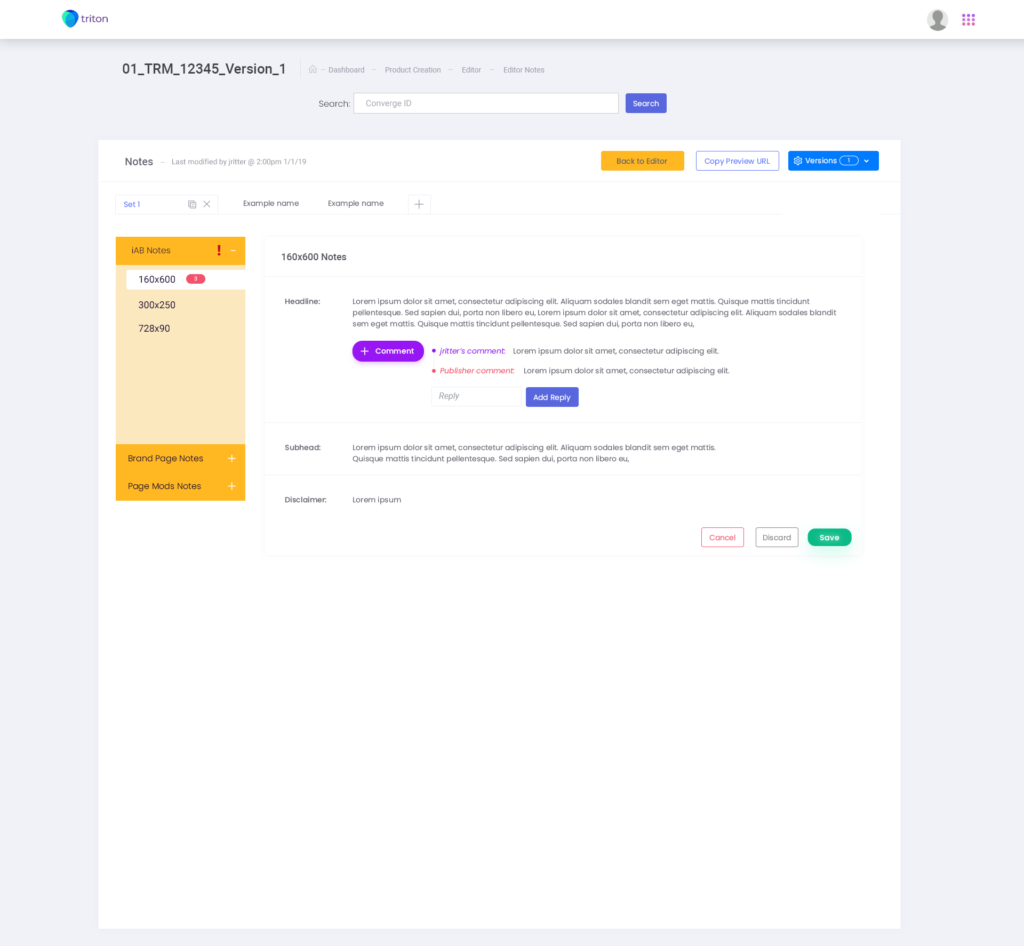
Products are available on the left side column, selected products are able to be edited with the most room given in the middle of the screen. Inside of each product, the user can select which type and version of product to edit along with the ability to sync the copy to the Sketch plug-in. I also tied publisher and supplier feedback to a notes UI integrated into products where the notes are shown for relevant feedback.
Through this discovery process, we were able to get this new workflow approved and into development.
Copywriter Editor Mocks