Central
Objectives
- Ad-Serving (GAM – Google Ad Manager) integration (internal facing).
- External facing Self-Serve advertisement creation.
- Leverage SalesForce, Google Ad Manager and Account Management responsibilities to improve workflow.
Central’s goal is to integrate Account Management responsibilities, Ad-Serving and Ad Creation into a one-stop enterprise solution. Through Central; advertisements can be pushed live, advertisements can be created while offering campaign management tools. Central also served as a business facing portfolio of company products. My responsibility was to bring the ideas to life by creating a scalable UI.
Discovery
Ad Serving and Ad Creation were entirely new ideas for Central when I was brought into conceptualize and design these two tools. I was tasked by Product Innovation to explore a way to integrate two different solutions into a webapp that would bring additional value to Central, and add an additional source of revenue.
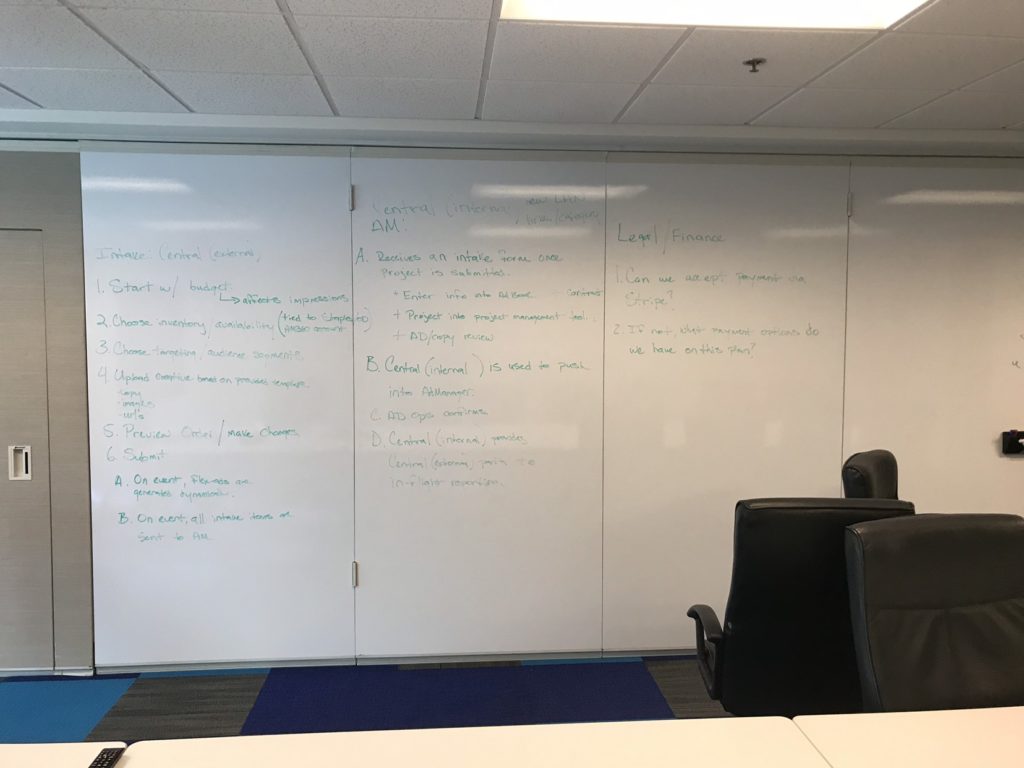
This project required the understanding of how advertising media gets served. To do this, I turned to our Lead Project Manager who handles the hand-off of media push details to Ad Operations department and to Account Managers. Through meeting and working sessions, we were able to determine the key items that are vital to serving ad media.
During the meeting sessions, I brainstormed with Product Innovation and Project Mangement to attain a clear picture of how to make Ad Serving intuitive, by targeting the key features and functionality that is required.
Ad Serving
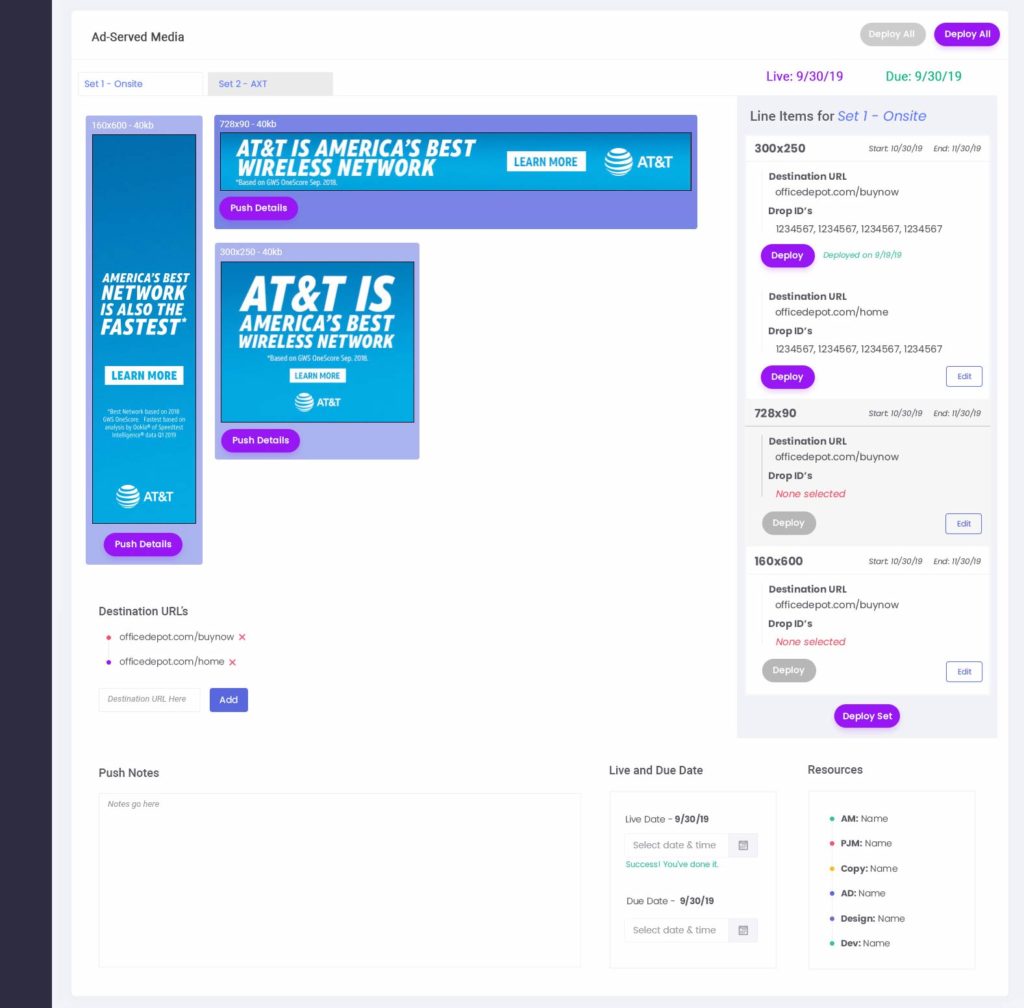
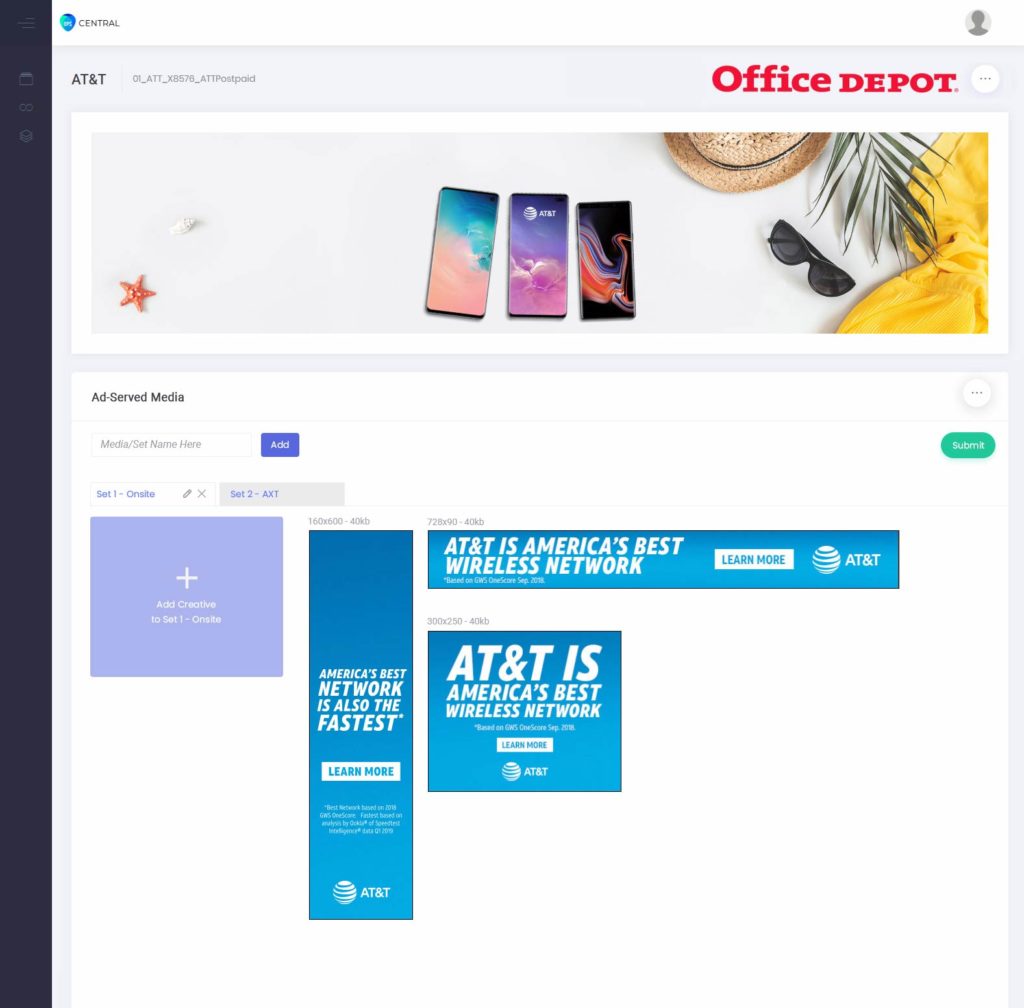
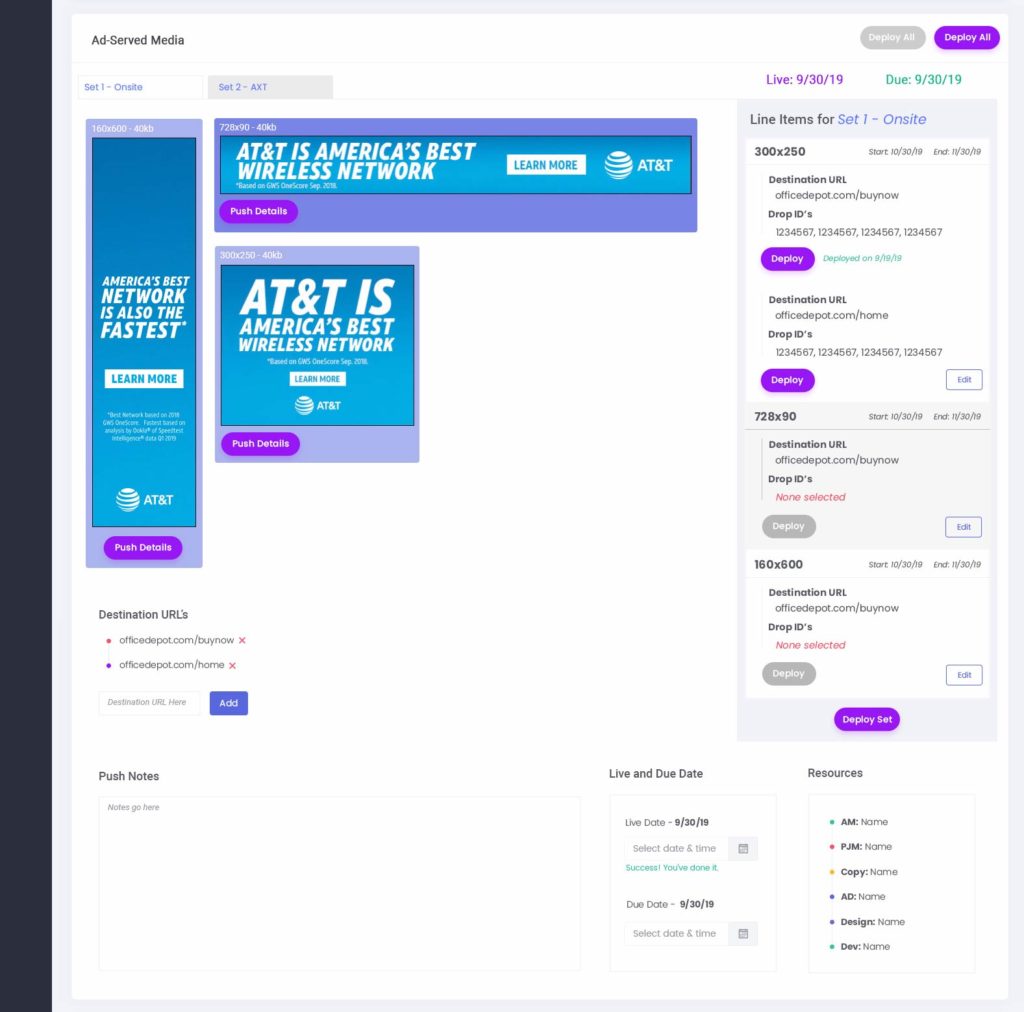
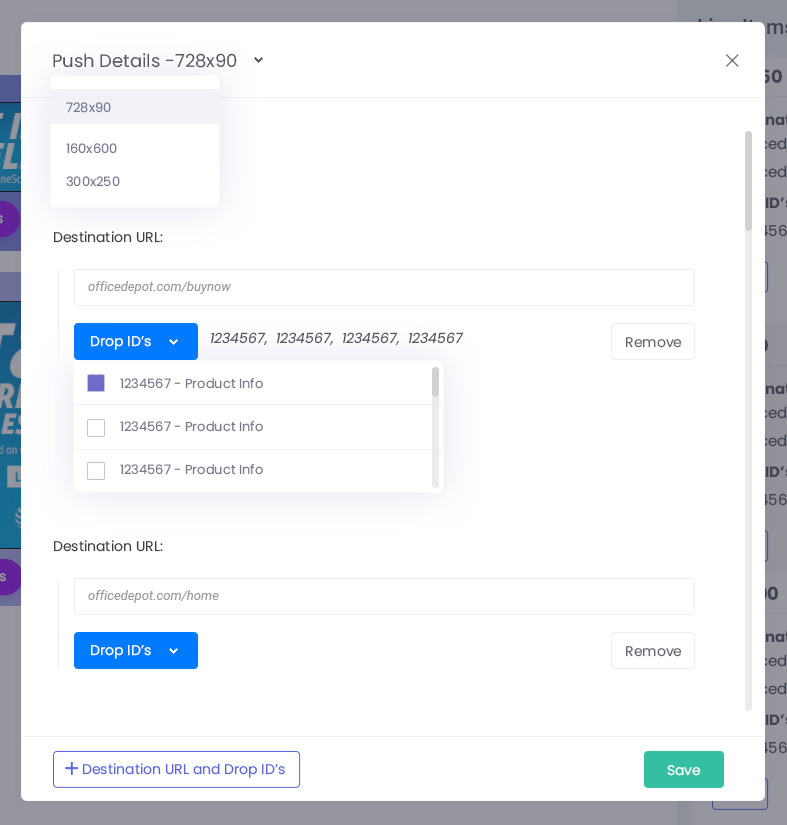
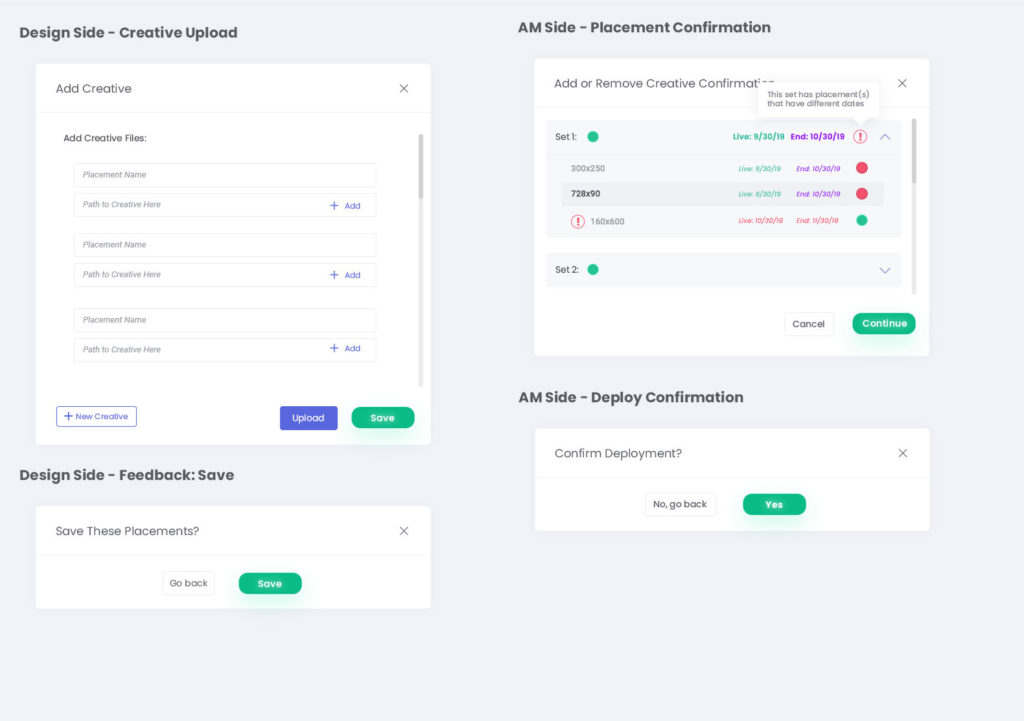
After meeting and working sessions, the team and I created an outline that broke-down which key functions that the Ad Serving portion of Central would require. On the Account Management side, these functions required hooking into Google Ad Manager in able to pass Destination URL’s, Drop ID’s and getting the creative from point A to point B. The Ad Serving portion works directly with the business facing portfolio of Central as another tab in the UI that is only internal facing to the Account Manager where the hand-off can happen.
The Ad Serving portion of the UI was split into panes. The creative could be manipulated in the UI to bring up specific Destiation URL’s, Drop ID’s and campaign start dates which allows the User to edit and modify specific line-items before deploying the package of media through Google Ad Manager.
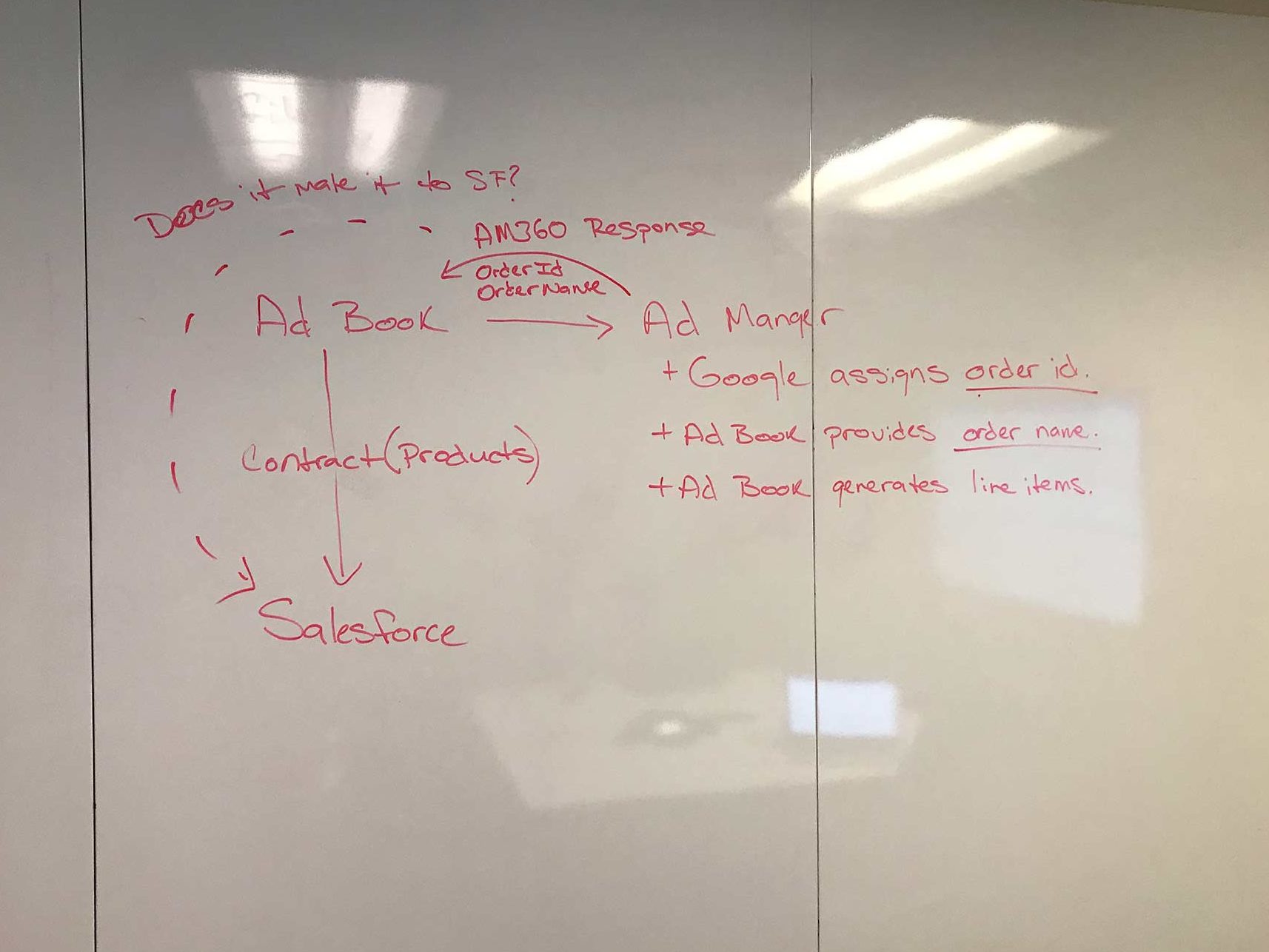
Ad Serve Mocks
Ad Creation
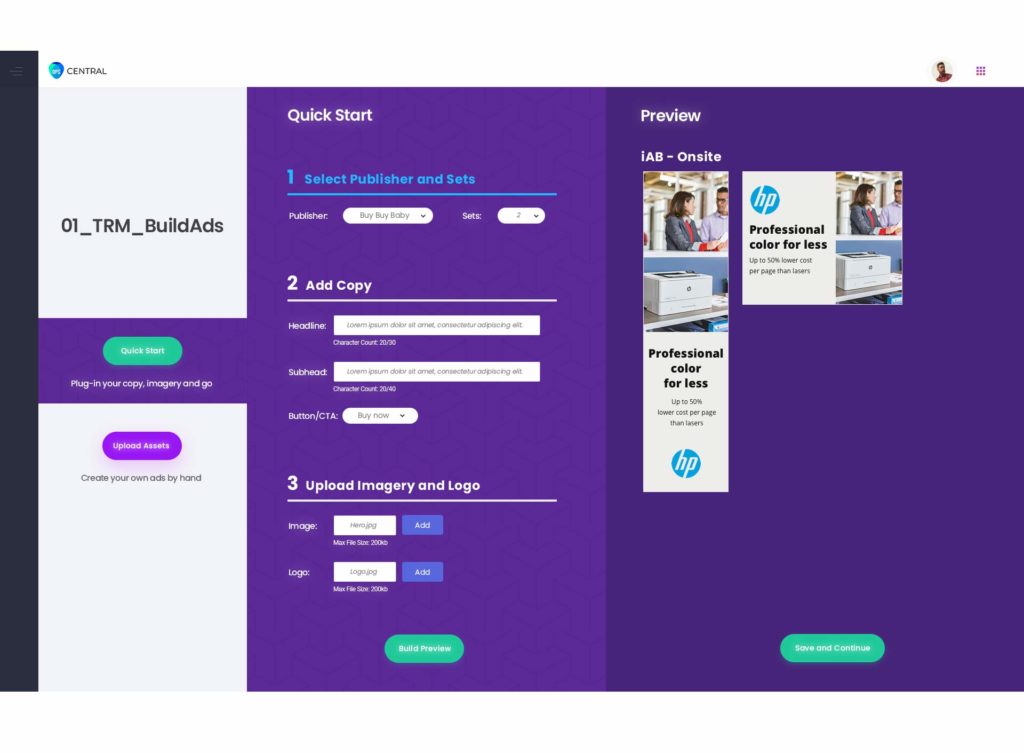
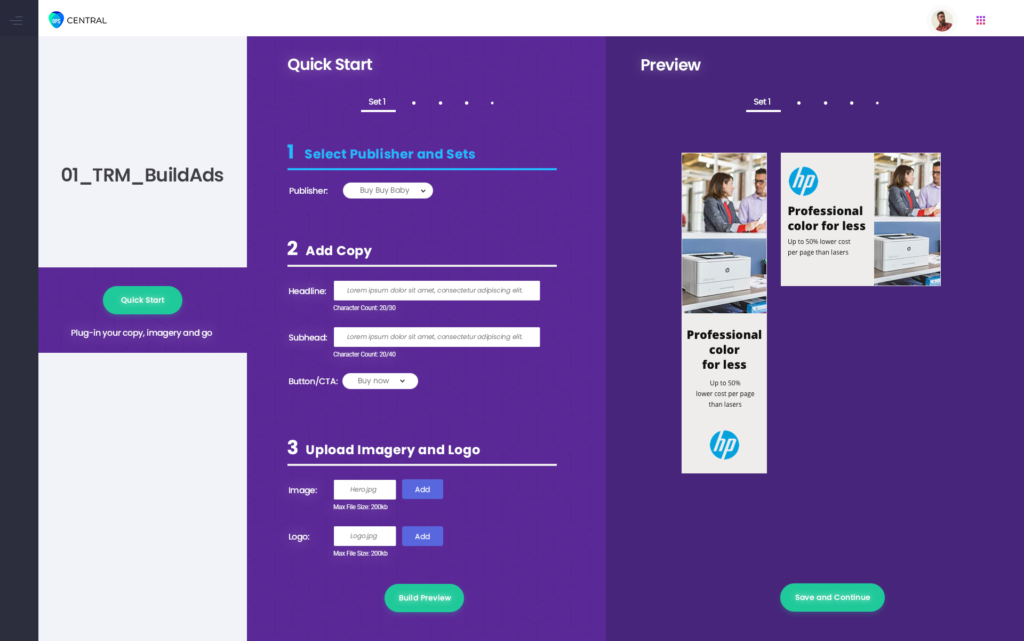
Ad Creation is a WYSIWYG, external facing business advertisement creation tool that is intended to be as intuitive as possible by selecting the average every-day user as the end-user for this tool. Knowing this, the best approach the team and I took would be to walk the User through the entire process in various phases.
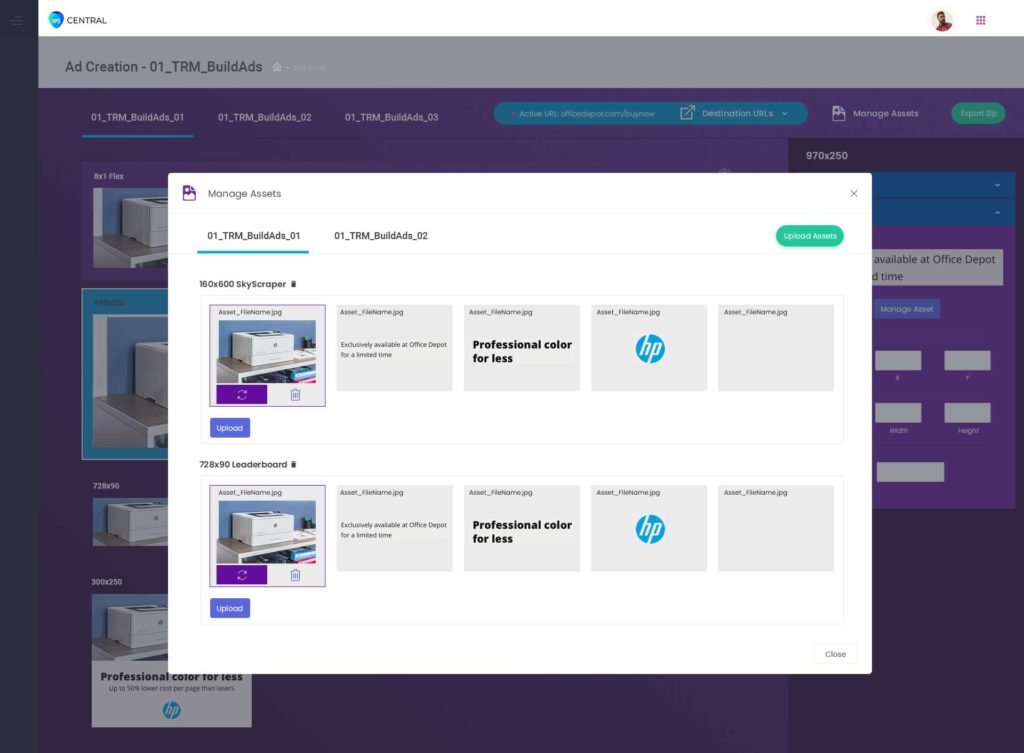
Phase 1: Selecting an advertising publisher, asset upload and inserting copy. The User could stop here, and then generate their banners but, the next phase would introduce a full-fledged creative editor. This first phase editor was the preferred choice for our team.
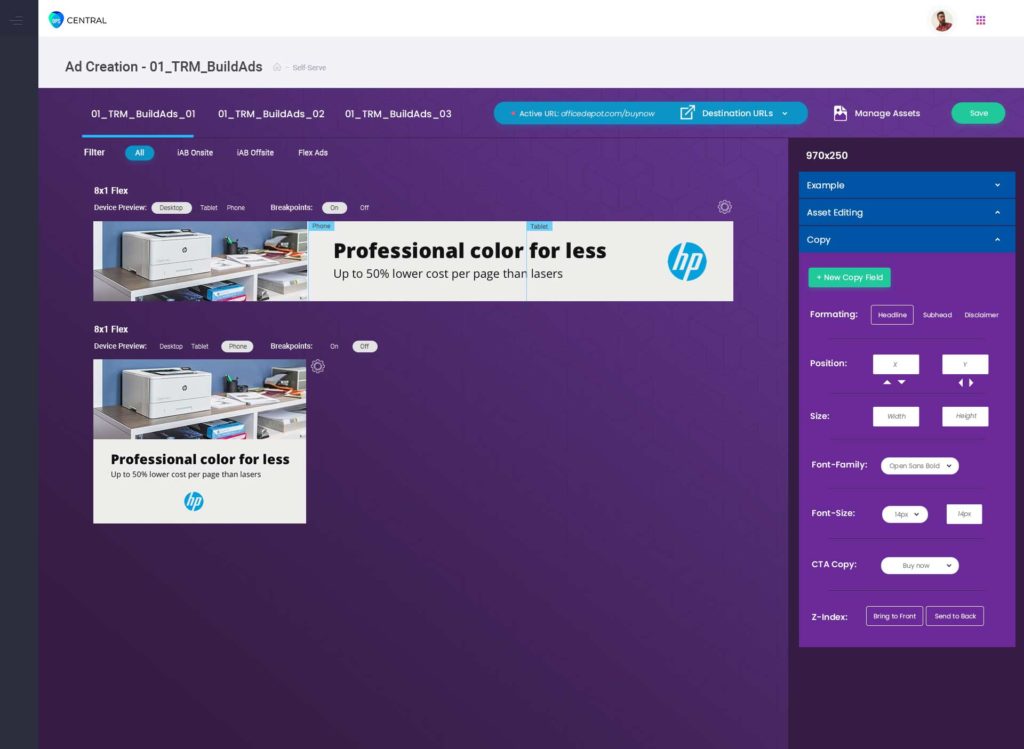
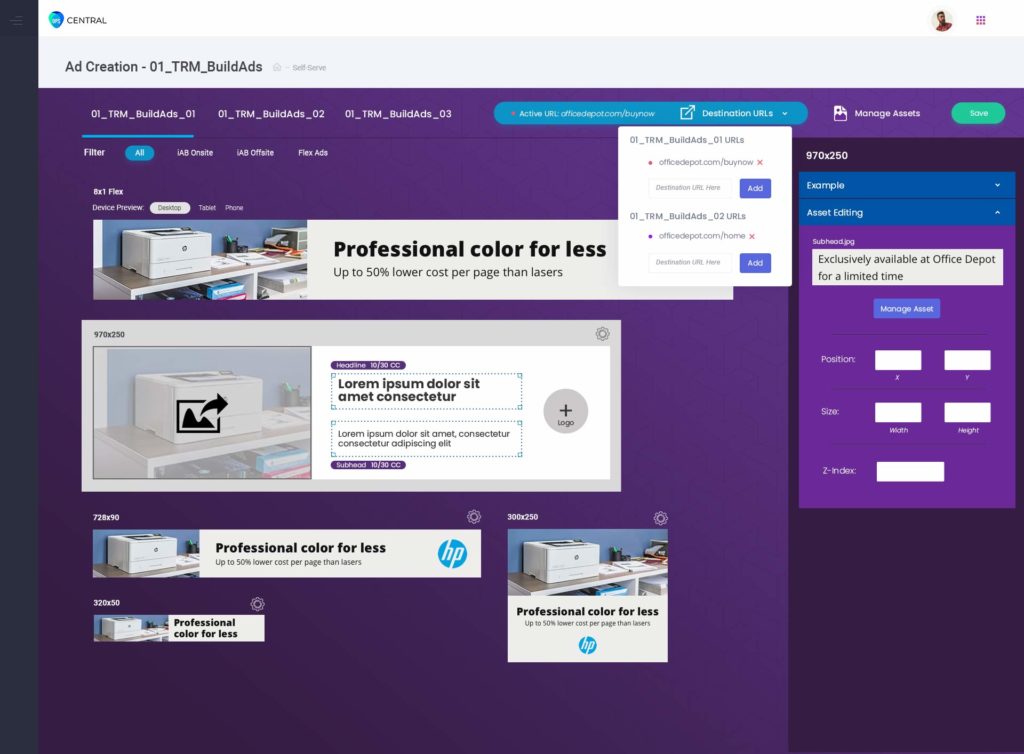
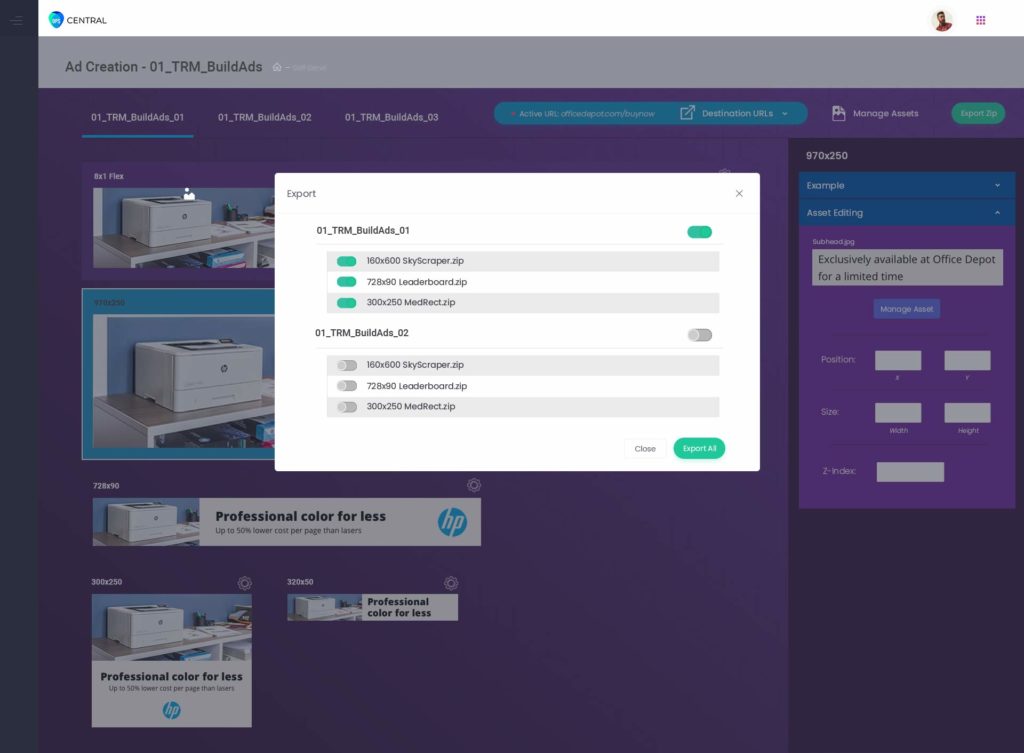
Phase 2: Using my creative production experience, I was able to identify the need to also provide a web-based advertisement editor as another product offering. This editor enables the user to take control through text editing, image re-sizing, asset management, adding click URL’s and finally exporting the created media out to the Ad Serving internal-facing UI.
Ad Creation Mocks